Introduction
VectorFlow is a visual pipeline management platform for Vector, the high-performance observability data pipeline. It gives teams a web-based UI for designing, deploying, and monitoring Vector pipelines across an entire fleet of nodes -- no hand-edited TOML required.
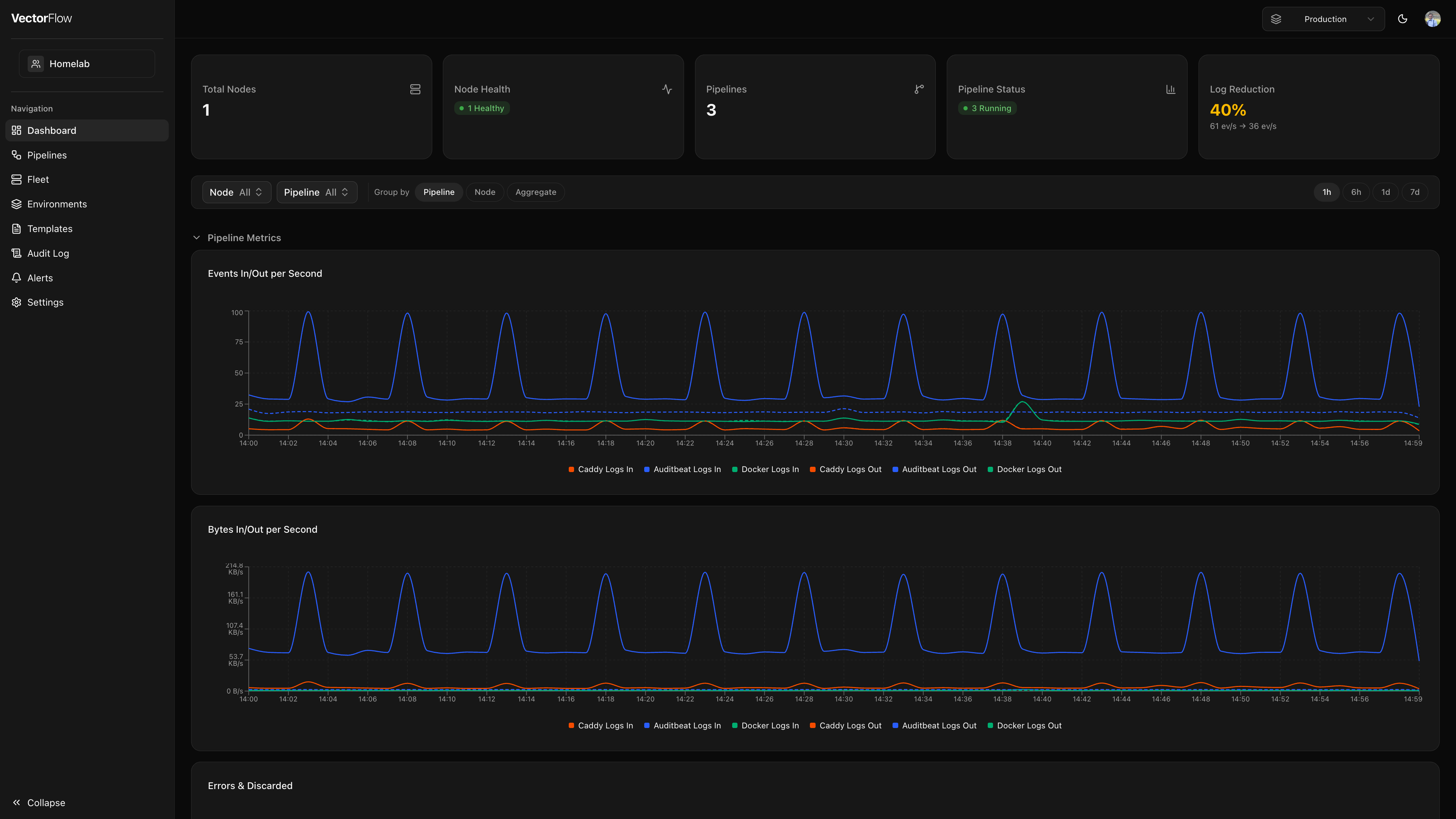
Why VectorFlow?
Observability pipelines are critical infrastructure, yet managing them usually means juggling config files across dozens of servers. VectorFlow replaces that workflow with a centralized control plane:
- Visual Pipeline Editor -- Drag-and-drop sources, transforms, and sinks onto a canvas. The editor generates valid Vector configuration automatically.
- Fleet Management -- Enroll agents on every node and push pipeline updates from a single dashboard. See which agents are online, what they are running, and roll back instantly.
- Multi-Environment Support -- Maintain separate development, staging, and production environments. Promote pipelines through your deployment lifecycle with confidence.
- VRL Snippet Testing -- Write and test Vector Remap Language transforms interactively before they reach production.
- Real-Time Metrics -- Monitor throughput, error rates, and pipeline health at a glance.
- Alerting -- Define alert rules so you know the moment a pipeline degrades.
Technology
| Layer | Technology |
|---|---|
| Frontend | Next.js 16, React 19, TypeScript, Tailwind CSS |
| Flow Editor | React Flow (@xyflow/react) |
| Code Editor | Monaco Editor with VRL syntax |
| API | tRPC (type-safe RPC) |
| Authentication | NextAuth (credentials + OIDC) |
| Database | PostgreSQL, Prisma ORM |
| Agent | Go (zero external dependencies) |
| Data Engine | Vector (vector.dev) |
Get started in 5 minutes. Follow the Quick Start guide to spin up VectorFlow with Docker and build your first pipeline.
Quick Links
| Getting Started | Quick Start -- Install and run VectorFlow |
| Deploy | Server -- Set up the VectorFlow server |
| Agents -- Enroll agents on your nodes | |
| Learn | Pipeline Editor -- Build pipelines visually |
| Fleet Management -- Manage your agent fleet | |
| Operate | Architecture -- Understand how it all fits together |
| Configuration -- Environment variables and settings | |
| Reference | API -- Full API documentation |
| Pipeline YAML -- Pipeline configuration format |